Have you come across the abbreviation “UAN” and wondered what it means? UAN can have different meanings depending on where it appears, but one of its most common uses is “Universal Access Number.” In business and telecommunications, a UAN is a special phone number that allows customers to contact an organization through a centralized helpline, often without needing to remember separate numbers for different departments or locations.
You may see UAN printed on company websites, bills, customer service pages, advertisements, and official documents. In other contexts, UAN can stand for something entirely different, such as “Universal Account Number” in India’s employee provident fund system. This is why understanding the situation in which the abbreviation appears is important before deciding what it means.
You have noticed UAN on a phone number, a business document, a financial record, or an online message, knowing its possible meanings can help you avoid confusion. In this guide, we’ll explain the meaning of UAN, its common full forms, how it is used in different industries, and provide simple examples to help you understand this abbreviation clearly.
Quick Answer: What Is the UAN Meaning?
The UAN meaning is Universal Account Number. It is a unique 12-digit identification number used by India’s Employees’ Provident Fund Organisation (EPFO) to connect an employee’s different Provident Fund (PF) accounts under one permanent identification number.
UAN helps employees manage their provident fund savings even when they change jobs. Each employer may create a different PF Member ID, but the employee generally continues using the same UAN throughout their working life.
The UAN full form is Universal Account Number. Employees can use it to access EPFO services, check their PF balance, download their passbook, transfer eligible PF savings, update KYC information, and track claims.
In simple words, UAN works like a permanent identity for an employee’s provident fund accounts. It makes managing retirement savings easier, more organized, and more transparent.
What Does UAN Stand For?
UAN stands for Universal Account Number. Each word explains an important part of this identification system.
- Universal: It connects different provident fund accounts belonging to one employee.
- Account: It relates to an employee’s provident fund savings and contributions.
- Number: It is a unique numerical identification assigned within the EPFO system.
Before the introduction of UAN, employees often had to manage different PF account numbers when changing employers. This could make it difficult to track savings and transfer balances.
The Universal Account Number helps solve this problem by connecting multiple PF Member IDs under one identification number.
For example, imagine an employee named Rahul starts working at Company A. After three years, he joins Company B and later moves to Company C. Each employer may have a separate PF Member ID for him, but his UAN generally remains unchanged.
This arrangement allows Rahul to maintain a connected record of his provident fund accounts.
What Is UAN in EPFO?
To understand what UAN is, you should also understand the organization responsible for managing it.
EPFO stands for Employees’ Provident Fund Organisation. It is a statutory organization under India’s Ministry of Labour and Employment.
EPFO administers the Employees’ Provident Fund and related social security schemes for eligible employees. It manages contributions, maintains member records, and provides different services to employees and employers.
UAN plays an important role in this system because it gives eligible employees a common identification number for their PF accounts.
Employees can use their UAN to access services such as:
- Checking provident fund account information.
- Viewing employee and employer contributions.
- Downloading PF passbooks.
- Submitting eligible online claims.
- Transferring PF balances.
- Updating eligible personal information.
- Managing KYC details.
- Tracking provident fund claim requests.
UAN makes these services easier to manage because employees can access their connected PF accounts through one common identification number.
Why Is UAN Important for Employees?
UAN is important because it helps employees maintain continuity in their provident fund records.
People frequently change jobs to find better opportunities, higher salaries, or improved working conditions. Every time an employee joins a new eligible organization, a new PF Member ID may be created.
Without a common identification number, managing different accounts could become confusing.
Here are the main reasons why UAN is important.
1. Permanent Employee Identification
UAN generally remains the same even when an employee changes employers.
This means employees do not normally need a completely new identification number every time they join another company.
2. Easier PF Account Management
Employees can use one UAN to access their linked PF Member IDs.
This makes it easier to review employment-related provident fund information without separately managing every account.
3. Convenient PF Transfers
When employees change jobs, they may need to transfer their previous PF balance to their new account.
UAN helps connect the old and new Member IDs, making eligible transfers easier to manage.
4. Better Financial Transparency
Employees can review available contribution information and check whether their employers are depositing the required provident fund contributions.
This helps workers stay informed about their retirement savings.
5. Reduced Paperwork
EPFO provides several digital services that allow eligible members to complete account-related activities online.
This reduces the need for physical paperwork and repeated office visits.
How Does UAN Work?
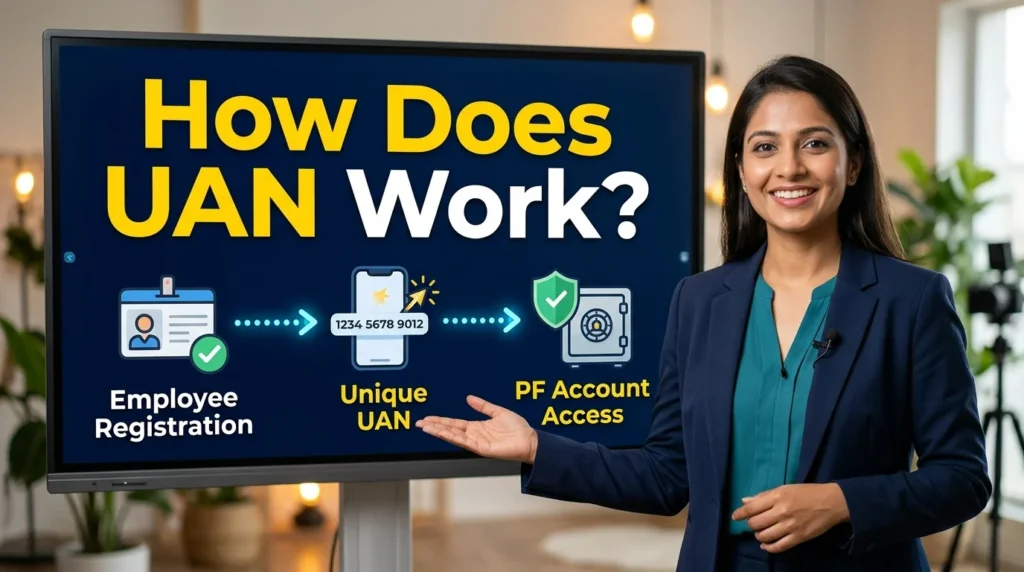
The UAN system connects different PF Member IDs belonging to the same employee.
Consider this example:
Rahul starts working for Company A. His employer registers him under the EPF system and links his PF Member ID with his UAN.
After several years, Rahul changes jobs and joins Company B. His new employer creates another PF Member ID.
Instead of receiving an entirely new UAN, Rahul generally continues using his existing number.
Later, he joins Company C. Another PF Member ID may be created, but the same UAN can connect his employment-related PF accounts.
The process can be understood as:
Employee → One UAN → Multiple PF Member IDs
This system helps employees maintain a connected provident fund record throughout their careers.
It is important to remember that UAN and PF Member ID are different. UAN identifies the employee across their PF accounts, while a Member ID identifies a particular PF account associated with an establishment.
Difference Between UAN and PF Account Number
Many employees confuse UAN with their PF account number because both are used in provident fund services.
However, they have different purposes.
| Feature | UAN | PF Member ID |
| Full form | Universal Account Number | Provident Fund Member ID |
| Purpose | Common employee identification | Identifies a particular PF account |
| Number | 12 digits | Format varies |
| Changes with a new job | Generally remains the same | A new Member ID may be created |
| Main function | Connects PF accounts | Identifies an employment-related account |
| Administration | EPFO | EPFO through the employer |
For example, an employee who has worked for three eligible employers may have one UAN and three PF Member IDs.
Understanding this difference helps employees avoid mistakes when checking their PF details or submitting transfer requests.
How to Find Your UAN Number
If you do not know your UAN number, you can retrieve it using the available EPFO services.
There are several ways to find your identification number.
1. Check Your Salary Slip
Many employers include UAN information on monthly salary slips.
Open your salary slip and look for the section containing:
- Employee information.
- PF account details.
- Provident fund contributions.
- UAN number.
If the number is available, keep it somewhere secure for future use.
2. Contact Your Employer
Your company’s human resources or payroll department may have your UAN information.
Contact the relevant department and request your Universal Account Number.
Your employer may ask you to verify your identity before providing employment-related information.
3. Use the Official EPFO Portal
The EPFO member portal provides a facility to retrieve your UAN.
The general process is:
- Open the official EPFO Member e-Sewa portal.
- Select the option to know or retrieve your UAN.
- Enter the requested personal information.
- Provide the mobile number required for verification.
- Complete the OTP verification.
- Follow the instructions shown on the screen.
The exact process may change as EPFO updates its digital services.
Important: If you already have a UAN, retrieve your existing number instead of attempting to generate another one.
How to Generate a New UAN Number
Employees who are entering the EPF system for the first time may need a new UAN.
EPFO provides an Aadhaar-based face authentication facility through the UMANG application for UAN generation.
The general process involves:
- Download the official UMANG application.
- Open the EPFO services section.
- Select the UAN allotment and activation option under UAN Services Through Face Auth.
- Enter the required Aadhaar and mobile information.
- Complete OTP verification.
- Follow the instructions for Aadhaar-based face authentication.
- Complete the verification process.
After successful verification, the system can generate a UAN and communicate the information through the registered mobile number.
The process may require the Aadhaar Face RD application.
Before generating a new number, make sure you do not already have an existing UAN. Creating duplicate UANs can cause difficulties when managing PF records.
How to Activate Your UAN Online
UAN activation allows employees to access their eligible EPFO online services.
EPFO currently provides UAN activation through Aadhaar-based face authentication on the UMANG application. The earlier activation facility on the EPFO member portal has been discontinued.
Follow these general steps:
- Download and open the UMANG application.
- Select EPFO services.
- Find UAN Services Through Face Auth.
- Select UAN Activation.
- Enter your UAN and required Aadhaar information.
- Provide your mobile number.
- Complete the OTP verification.
- Follow the instructions for face authentication.
- Wait for the system to complete verification.
After successful authentication, your UAN can be activated.
You may receive a temporary password or other account information through SMS, depending on the current process.
If activation fails, check your Aadhaar details, registered mobile number, and the information entered in the application.
What Is UAN Login?
UAN login means accessing your EPFO member account using your Universal Account Number and password.
Once you successfully log in, you can manage different provident fund services.
Some available activities include:
- Viewing linked PF Member IDs.
- Checking contribution information.
- Downloading PF passbooks.
- Reviewing KYC information.
- Submitting eligible PF claims.
- Tracking claim requests.
- Updating certain account details.
UAN login is useful because it allows employees to access their provident fund information through one account.
However, some services may require additional identity verification, KYC approval, or employer confirmation.
How to Reset a Forgotten UAN Password
Forgetting your UAN password can prevent you from accessing your EPFO member account.
Fortunately, the member portal provides a password reset facility.
The general process is:
- Open the EPFO Member e-Sewa portal.
- Select the Forgot Password option.
- Enter your UAN.
- Complete the displayed verification process.
- Follow the instructions for receiving an OTP.
- Verify your registered mobile number.
- Create a new password according to the displayed requirements.
- Save your new password securely.
If your registered mobile number is no longer active, follow the portal’s alternative verification instructions.
Never share your password or OTP with anyone claiming to provide unofficial UAN assistance.
How to Check UAN Status Online
Checking your UAN status helps you understand whether your identification number is active and ready for member-related online services.
You can check your account access by following the current instructions on the EPFO member portal.
If you are unable to log in, consider these possibilities:
- Your UAN has not been activated.
- Your password is incorrect.
- Your personal information needs verification.
- Your registered mobile number is unavailable.
- A temporary technical issue is affecting the portal.
If the problem continues, use the official UMANG application or contact EPFO support.
Remember that having a UAN and activating it are two different things.
What Is a UAN Card?
A UAN card is a digital identification document associated with an employee’s Universal Account Number.
It may contain important identification information, such as:
- Employee name.
- Universal Account Number.
- Photograph, where available.
- Other relevant member details.
Employees can use the available EPFO member services to access their UAN-related information and supported card facilities.
A UAN card should not be confused with a PF passbook.
The UAN card is primarily an identification document, while the PF passbook provides details about contributions and account transactions.
How to Check PF Balance Using UAN
Checking your PF balance is one of the most useful services associated with UAN.
Employees can use available EPFO facilities to review their provident fund savings.
The PF balance generally reflects recorded employee and employer contributions along with applicable interest credits.
You can check your information through supported services such as:
EPFO Member Portal
Log in using your UAN and password. Navigate to the available account or passbook services to review your provident fund information.
UMANG Application
Open UMANG, select EPFO services, and follow the instructions for accessing available member information.
Other Supported EPFO Services
EPFO may provide additional balance-checking facilities depending on account eligibility and service availability.
Always use official services when accessing financial information.
How to Download Your PF Passbook Using UAN
A PF passbook is an important document because it provides a record of provident fund transactions.
It helps employees understand how much money has been deposited into their accounts.
A passbook may include:
- Employee contributions.
- Employer contributions.
- Monthly deposits.
- Interest credits.
- Other recorded transactions.
To access your passbook:
- Open the official EPFO member services.
- Log in using your UAN and password.
- Navigate to the passbook facility.
- Select the relevant Member ID.
- View the available transaction details.
- Download or save the passbook if the option is available.
Some members may need to wait until their account information becomes available in the passbook service.
How to Transfer PF Using UAN
Changing employers does not mean employees must lose track of their previous provident fund savings.
UAN helps connect the old and new PF Member IDs.
Eligible employees can submit PF transfer requests through the available EPFO online services.
The general process involves:
- Make sure your existing UAN is linked with your new employment.
- Check that your personal details are accurate.
- Complete the required KYC verification.
- Log in to the EPFO member portal.
- Find the online PF transfer facility.
- Enter the required previous employment details.
- Complete the prescribed verification.
- Submit the transfer request.
- Track the request status through the available services.
The exact requirements may depend on the member’s account history, Aadhaar verification, and applicable EPFO rules.
How to Update KYC Details in UAN
KYC stands for Know Your Customer. It refers to identity and account verification information.
EPFO uses KYC details to help verify members and support different online services.
Common KYC information includes:
- Aadhaar.
- PAN.
- Bank account details.
To manage your KYC information, follow the available member portal instructions.
The general process involves:
- Log in to the EPFO member portal.
- Open the Manage section.
- Select the KYC option.
- Choose the information you need to update.
- Enter the correct details.
- Submit the information for verification.
- Check the approval status.
Some details may require employer approval or additional verification.
Make sure the information you provide matches your official documents.
How to Link Aadhaar With UAN
Aadhaar linking is an important part of EPFO identity verification.
Aadhaar information can help confirm that the provident fund account belongs to the correct employee.
Employees should ensure their Aadhaar information matches the details recorded in the EPFO system.
The available process may involve:
- Logging in to the EPFO member portal.
- Opening the KYC or relevant Aadhaar verification section.
- Entering the required Aadhaar details.
- Giving the necessary consent.
- Completing the verification process.
- Checking whether the information has been approved.
The exact process depends on current EPFO requirements.
If your name or date of birth differs between Aadhaar and EPFO records, you may need to correct the relevant information before verification can succeed.
What Happens to UAN When You Change Jobs?
One of the most common questions employees ask is whether their UAN changes when they join another company.
Generally, it does not.
Your UAN normally remains the same even when you change employers.
However, your new employer may create another PF Member ID for your new employment.
You should provide your existing UAN to your new employer so that the new Member ID can be linked correctly.
For example:
- Company A creates your first PF Member ID.
- You receive your UAN.
- You leave Company A.
- Company B creates another PF Member ID.
- Your existing UAN connects the new account.
If you receive another UAN accidentally, contact your employer or EPFO to resolve the duplicate identification issue.
Can One Employee Have Multiple UAN Numbers?
An employee is generally expected to have one UAN connecting their different PF Member IDs.
However, administrative mistakes or employment-related issues can sometimes result in duplicate UANs.
For example, an employer may not identify an employee’s existing UAN before creating another PF account.
Having multiple UANs can create problems with account transfers, contribution records, and online services.
If you discover duplicate UANs, do not ignore the issue. Contact your employer or EPFO and follow the prescribed correction procedure.
It is also important not to generate a new UAN simply because you have forgotten your existing number.
Difference Between UAN, EPF, and PF Member ID
These three terms are related, but they have different meanings.
| Term | Full Form | Purpose |
| UAN | Universal Account Number | Connects an employee’s PF accounts |
| EPF | Employees’ Provident Fund | Retirement savings scheme |
| PF Member ID | Provident Fund Member ID | Identifies a particular PF account |
EPF represents the provident fund savings system.
UAN identifies the employee across their connected PF accounts.
PF Member ID identifies an individual account associated with a particular employment relationship.
Understanding these differences makes provident fund management easier.
Common UAN Login Problems and Their Solutions
Employees sometimes experience problems while accessing their UAN accounts.
Here are some common issues and possible solutions.
Incorrect Password
If your password is incorrect, use the official Forgot Password facility to reset it.
UAN Is Not Activated
Complete the current activation process through the UMANG application using the required Aadhaar-based face authentication.
OTP Is Not Received
Check your registered mobile number and network connection. Make sure the number required for verification is active.
Aadhaar Details Do Not Match
Compare the information entered with your official Aadhaar records. Correct any discrepancies through the appropriate process.
PF Member ID Is Missing
Contact your employer to confirm whether the new PF account has been created and linked correctly.
Website Is Not Working
Temporary technical issues can affect online services. Try again later and avoid repeatedly submitting the same request.
Account Is Locked
Follow the available account-unlock or password recovery instructions on the official portal.
Is UAN Mandatory for Employees?
UAN is an important part of the EPFO system for employees covered by the applicable provident fund arrangements.
Whether an employee must participate in EPF depends on the establishment, eligibility conditions, applicable wage rules, and relevant legal provisions.
Employers generally handle the necessary registration and contribution responsibilities for eligible employees.
If you are unsure whether your employment is covered by EPF, contact your employer’s HR or payroll department.
What Are the Main Benefits of Having a UAN?
UAN provides several advantages for employees.
Convenient Online Access
Employees can access supported EPFO services without visiting an office for every routine activity.
Better Record Management
One UAN connects multiple PF Member IDs, making employment records easier to organize.
Easier PF Transfers
Eligible employees can transfer their previous provident fund savings when changing employers.
Improved Transparency
Members can review available contributions and account information.
Reduced Administrative Work
Digital services help reduce repeated paperwork.
Better Retirement Planning
Regularly checking PF balances helps employees understand their long-term savings.
Can You Withdraw Money Using UAN?
UAN helps employees access provident fund withdrawal and settlement facilities.
However, UAN itself is not a bank account and does not directly hold money. The actual savings are maintained in the employee’s PF account.
Eligible employees may submit different types of claims depending on their employment situation and applicable rules.
These may include:
- Eligible partial PF withdrawals.
- Final provident fund settlements.
- Pension-related claims.
- Other permitted benefits.
Withdrawal eligibility, documentation, and processing requirements can differ.
Before submitting a claim, check the latest EPFO rules and ensure your bank and KYC information is accurate.
Does UAN Expire After Leaving a Job?
UAN generally does not expire simply because an employee leaves a company.
It is designed to remain associated with the employee’s provident fund records.
If someone joins another eligible organization after a period of unemployment, their existing UAN can generally be used again.
The employee should provide the existing number to the new employer to maintain continuity in their PF records.
However, access to individual services may depend on account status and verification requirements.
Is UAN the Same as Aadhaar or PAN?
No. UAN, Aadhaar, and PAN serve different purposes.
| Identification | Purpose |
| UAN | Connects provident fund accounts |
| Aadhaar | Identity verification |
| PAN | Tax identification |
These identification numbers may be used together during employment or EPFO verification processes, but they are not interchangeable.
For example, Aadhaar can help verify an employee’s identity, while UAN connects their provident fund accounts.
PAN is mainly used for tax-related identification.
How Can Employers Help Employees With UAN?
Employers play an important role in the UAN registration and management process.
Their responsibilities may include:
- Registering eligible employees under the EPF system.
- Ensuring the correct employee information is submitted.
- Helping connect PF Member IDs with existing UANs.
- Providing UAN information to employees.
- Supporting corrections when employment records contain errors.
- Depositing applicable provident fund contributions.
- Assisting employees with relevant account-related questions.
Employees should also take responsibility for checking their information and reporting mistakes when they notice them.
How to Keep Your UAN Account Safe
Your UAN provides access to important employment and financial information, so protecting your account is essential.
Follow these basic security practices:
- Use a strong and unique password.
- Never share your OTP with another person.
- Avoid logging in through suspicious websites.
- Do not provide Aadhaar or bank information to unknown callers.
- Use official EPFO and UMANG services.
- Keep your mobile number and account information updated.
- Avoid saving passwords on shared computers.
- Contact official EPFO support if you notice suspicious activity.
EPFO warns members about credential theft and fraudulent calls. Never pay an unknown person who promises to activate your UAN or release your PF money.
Frequently Asked Questions About UAN Meaning
1. What Is the Full Form of UAN?
UAN stands for Universal Account Number. It is a unique 12-digit identification number used by EPFO to connect an employee’s different provident fund Member IDs.
2. What Is the UAN Meaning in Salary?
In salary-related documents, UAN refers to the Universal Account Number associated with an employee’s provident fund account. It helps employees access and manage EPF information.
3. What Is UAN Number Used For?
UAN is used to connect PF Member IDs, check provident fund information, access eligible online services, transfer PF balances, and manage employment-related provident fund records.
4. How Many Digits Are in a UAN?
A UAN consists of 12 digits. It is a unique identification number used in the Indian EPFO system.
5. Does UAN Change When You Change Jobs?
Generally, no. Your UAN usually remains the same when you change employers. Your new employer may create another PF Member ID and link it to your existing UAN.
6. How Can I Find My UAN Number?
You can check your salary slip, contact your employer, or use the UAN retrieval facility available through the official EPFO member portal.
7. How Can I Activate My UAN?
EPFO currently provides UAN activation through the UMANG application using Aadhaar-based face authentication. Follow the latest instructions in the EPFO services section.
8. Can I Check My PF Balance Using UAN?
Yes. Eligible employees can use available EPFO services to check their provident fund balance and contribution details.
9. How Can I Reset My UAN Password?
Open the EPFO member portal, select Forgot Password, enter your UAN, complete the verification process, and follow the instructions to create a new password.
10. Can I Have Two UAN Numbers?
Employees are generally expected to have one UAN. Duplicate numbers can sometimes occur because of administrative errors. Contact your employer or EPFO to resolve the issue.
11. What Is a UAN Card?
A UAN card is a digital identification document associated with an employee’s Universal Account Number. It should not be confused with a PF passbook, which records account transactions.
12. Is UAN Mandatory for Employees?
UAN is an important part of the EPFO system for employees covered by applicable provident fund rules. Eligibility depends on employment and legal requirements.
13. Does UAN Expire After Leaving a Job?
No. UAN generally remains associated with an employee’s PF records even after leaving a job. It can normally be used again when joining another eligible establishment.
14. Can I Withdraw PF Money Using UAN?
UAN helps eligible employees access online PF withdrawal and settlement facilities. Actual withdrawal eligibility depends on applicable EPFO rules.
15. What Is the Difference Between UAN and PF Member ID?
UAN is the common identification number connecting an employee’s PF accounts, while a PF Member ID identifies a particular employment-related provident fund account.
16. How Can I Check My UAN Status?
You can use the available EPFO member services to check your account access and follow the instructions for activation or verification if required.
17. Is UAN the Same as Aadhaar?
No. UAN connects provident fund accounts, while Aadhaar is an identity number used for verification.
18. Who Provides the UAN Number?
The Employees’ Provident Fund Organisation assigns UANs through its system. Employers help eligible employees complete the registration and linking process.
Conclusion
The UAN meaning is Universal Account Number, a unique 12-digit identification number used by India’s Employees’ Provident Fund Organisation. It connects multiple provident fund Member IDs belonging to one employee under a common identification number.
Understanding what UAN stands for can help employees manage their PF accounts, check balances, download passbooks, update KYC information, transfer eligible savings, and access online services. The biggest advantage is that UAN generally remains the same when an employee changes jobs. A new employer may create another PF Member ID, but the existing UAN can connect it with the employee’s previous provident fund records.

Amelia Brooks is a passionate language writer and word enthusiast at Meanzafy.com. I love exploring the meanings of words, text abbreviations, slang, and everyday English expressions to make language simple and easy for everyone. My goal is to create clear, accurate, and engaging content that helps readers quickly understand confusing words and phrases with confidence. Whether you’re looking for text meanings, grammar tips, or language guides, I’m here to make learning English enjoyable and practical.